Our Three Step Process
May 25, 2026
Unlock Your Campaign Potential: Mastering Essential Email Marketing KPIs
Our Three Step Process
May 25, 2026
Unlock Your Campaign Potential: Mastering Essential Email Marketing KPIs
Master essential email marketing KPIs to unlock campaign potential. Learn to measure engagement, conversions, and list health for better ROI.
Email marketing is still a big deal for connecting with people and getting things done. But, like anything, you gotta know what's working and what's not. It's not just about sending emails; it's about sending the *right* emails to the *right* people at the *right* time. That's where knowing your email marketing KPIs comes in. Forget just looking at how many people opened your email â that number isn't as reliable as it used to be. We need to look deeper. This guide is all about the important email marketing KPIs you should be watching. We'll break down what they mean, how to figure them out, and most importantly, how to use that info to make your emails actually do something.
Key Takeaways
Focus on the email marketing KPIs that actually matter for your business goals, not just vanity metrics like open rates.
Understand the formulas and what each metric tells you about your audience and campaign performance.
Regularly check your metrics, both for individual campaigns and for the overall health of your email program.
Use the data you collect to make smart changes, like testing different subject lines or personalizing content.
A clean, healthy email list and good deliverability are the foundation for improving all other email marketing KPIs.
Understanding Core Email Marketing KPIs
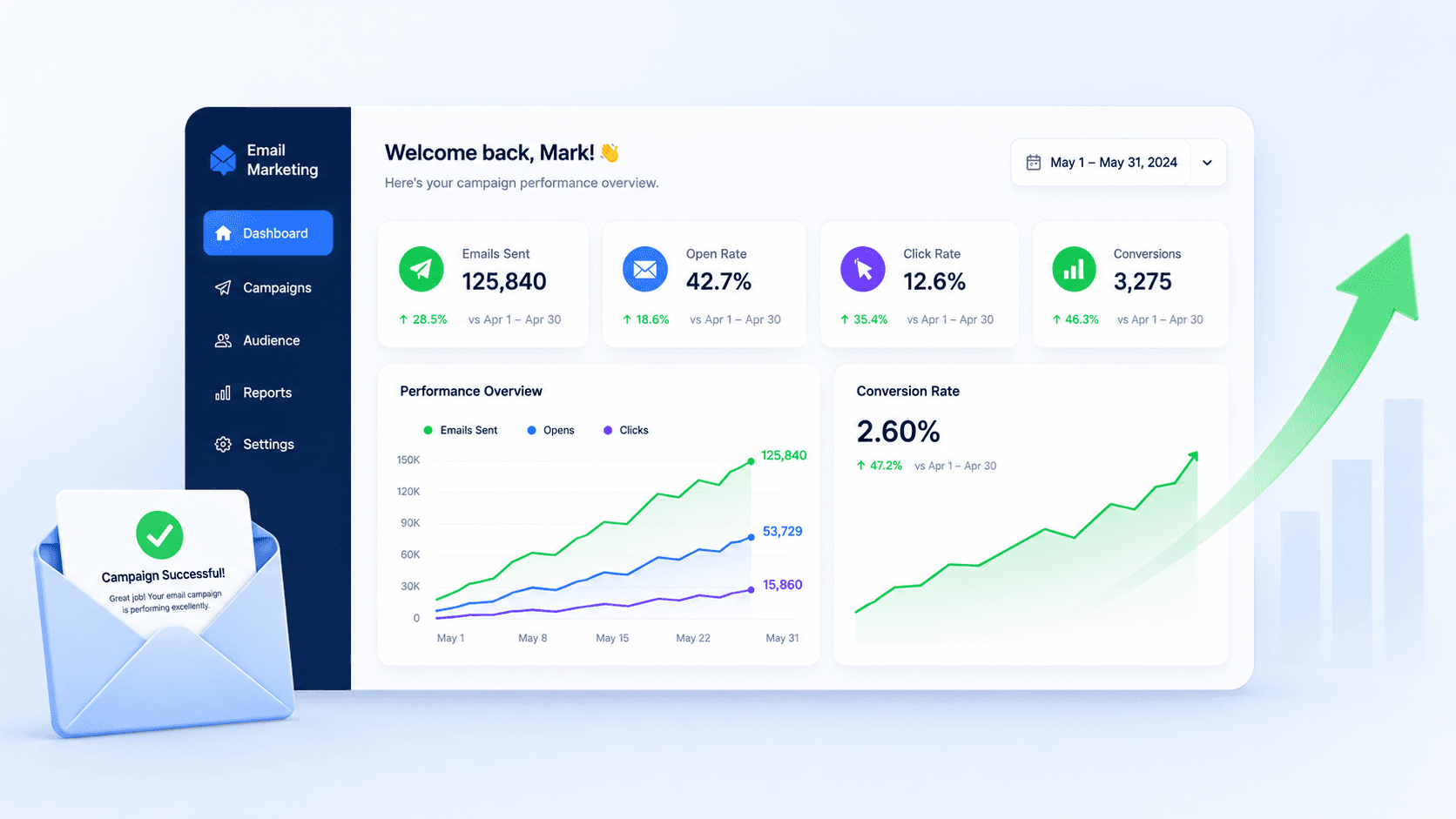
Email marketing is a powerful tool, but just sending emails isn't enough. To really see what's working and what's not, you need to pay attention to certain numbers. These are your Key Performance Indicators, or KPIs. They're like the dashboard for your email campaigns, telling you if you're on the right track or if you need to adjust your course.
Defining Key Performance Indicators
Think of KPIs as the specific metrics that show how well your email marketing efforts are doing. They aren't just random numbers; they're tied to what you're trying to achieve with your business. For example, if your main goal is to sell more products, your KPIs should reflect that. It's about measuring the impact of your emails on your actual business results. These metrics help you understand if your emails are actually contributing to your company's bottom line.
The Evolving Landscape of Email Metrics
Things change, and so do email metrics. What was super important a few years ago might be less so now. For instance, with privacy updates like Apple's Mail Privacy Protection, the way we measure open rates has gotten a bit tricky. This means we have to look beyond just the initial open and focus more on what people do after they open the email. Itâs about adapting and finding the metrics that still give us a clear picture of what's happening. We need to look at metrics that show actual interaction and results, not just vanity numbers.
Connecting KPIs to Business Objectives
Your email KPIs should never exist on their own. They need to connect directly to your bigger business goals. If your company wants to increase overall sales by 10% this quarter, your email KPIs should support that. Maybe your main email KPI becomes Revenue Per Email (RPE), with things like Click-Through Rate (CTR) and Conversion Rate acting as supporting players. This connection makes sure your email work is always pushing towards what the business needs. Itâs about making sure your email campaigns are a predictable revenue engine, not just a communication channel. You can find more information on metrics that drive business growth here.
It's easy to get caught up in the numbers, but remember that each metric tells a story. A low click-through rate might mean your call to action isn't clear, or a high bounce rate could signal that your email list needs cleaning. Understanding these stories helps you make better decisions.
Here's a quick look at some common KPIs and what they generally measure:
Open Rate: Percentage of people who opened your email. Good for seeing if your subject line grabs attention.
Click-Through Rate (CTR): Percentage of people who clicked a link in your email. Shows if your content is interesting enough to act on.
Conversion Rate: Percentage of people who completed a desired action (like buying something) after clicking. This is a direct measure of success.
Bounce Rate: Percentage of emails that couldn't be delivered. High bounces hurt your sender reputation.
Unsubscribe Rate: Percentage of people who opted out. Indicates if your content is relevant or if you're sending too often.
Keeping an eye on these numbers helps you understand your audience better and make your email campaigns work harder for you. For a deeper dive into how these metrics impact your business, check out key email marketing metrics.
Measuring Engagement and Reach
Alright, so you've sent out your emails. Now what? It's time to see if anyone's actually paying attention. This is where we look at how people are interacting with your messages and how far they're getting. Think of it as checking the pulse of your campaign.
Analyzing Open Rates Effectively
Open rates are pretty straightforward: they tell you the percentage of people who opened your email. It's the first hurdle your email has to clear. A good open rate means your subject line and sender name are doing their job. But, and this is a big 'but', it's not the whole story. Sometimes people open emails by accident, or they might open it just to delete it. So, while it's a good starting point, don't get too hung up on it.
Subject Line Testing: This is your main tool for influencing open rates. Try different approaches â questions, urgent calls, or just plain curiosity.
Sender Name: Make sure it's recognizable and trustworthy. People are more likely to open an email from someone they know.
Preview Text: That little snippet of text you see next to or below the subject line? Use it wisely to give recipients a reason to click.
Calculating Click-Through Rates (CTR)
This is where things get more interesting. Click-through rate, or CTR, measures the percentage of people who clicked on a link within your email after opening it. This metric shows if your content is actually compelling enough to make someone take the next step. It's a much stronger indicator of engagement than just opens. If your CTR is low, it might mean your content isn't hitting the mark, or your call-to-action isn't clear enough.
Here's a quick look at what influences CTR:
Content Relevance: Is the email actually interesting to the person who opened it?
Call-to-Action (CTA): Is it obvious what you want them to do? Is the button or link easy to find?
Link Placement: Don't bury your links. Make them prominent.
Understanding Email Deliverability Rate
This one's a bit more technical, but super important. Deliverability rate is the percentage of emails that actually make it to the recipient's inbox, as opposed to being bounced. If your emails aren't getting delivered, it doesn't matter how great your subject line is or how compelling your content is. You want this number to be as high as possible, ideally in the 90s. Low deliverability can point to issues with your email list quality or how your emails are being perceived by internet service providers. It's a key indicator of your email campaign health.
Low deliverability can tank all your other efforts. It's like shouting into the void if your messages aren't even reaching their intended destination. Keeping this number high is non-negotiable for any serious email marketer.
Think of these three metrics as a team. Opens get you in the door, clicks show they're interested in what you have to say, and deliverability makes sure you can even get to the door in the first place. Keeping an eye on all of them gives you a much clearer picture of how your emails are performing.
Tracking Conversion and Revenue

Okay, so you've got people opening your emails and clicking on links. That's great! But what happens after they click? This is where we get into the really juicy stuff: tracking conversions and revenue. Itâs about seeing if your emails are actually making money or helping you hit those big business goals.
Measuring Conversion Rates for Goal Completion
Conversion rate is basically the percentage of people who do what you wanted them to do after clicking a link in your email. This could be buying something, signing up for a free trial, downloading a guide, or even filling out a survey. Itâs the metric that shows if your email is actually moving the needle for your business.
Define Your Conversion: What does success look like for this specific email? Make it super clear. Is it a sale? A lead? A sign-up?
Track Accurately: Use tools like Google Analytics to make sure you're properly attributing conversions back to your email campaigns. Setting up conversion tracking is key here.
Analyze the Journey: If your open and click rates are high but your conversion rate is low, something's off. Maybe the landing page isn't what people expected, or the process is too complicated.
A high click-through rate with a low conversion rate often points to a disconnect between your emailâs promise and your landing pageâs delivery. The problem may not be your email, but the post-click experience.
Calculating Revenue Per Email (RPE)
This one is pretty straightforward: itâs the average amount of money you make from each email you send out. If you're in e-commerce or any business where direct sales are the goal, RPE is a big deal. It directly ties your email efforts to your bank account.
Formula:
(Total Revenue from Campaign / Number of Emails Delivered) = RPE
E-commerce Example: If a campaign brought in $500 and you sent 1000 emails, your RPE is $0.50.
SaaS Example: If a campaign generated 50 trial sign-ups, and you estimate the average lifetime value of a trial user to be $200, you can calculate a projected RPE.
Compare and Contrast: Look at RPE across different types of campaigns. Are your promotional emails bringing in more revenue per email than your newsletter?
Attributing Sales to Email Campaigns
This is about giving credit where credit is due. When someone buys something, how do you know it was because of that email you sent last week? This is where tracking comes in. Using UTM parameters in your links and setting up proper analytics helps you see which campaigns are actually driving sales. Itâs not always easy, especially if people interact with your brand across multiple channels, but itâs important for understanding whatâs working. You can get a better handle on this with tools like Google Analytics tracking.
UTM Parameters: These are little tags you add to your links that tell your analytics software where the traffic came from (e.g., which email campaign).
First-Touch vs. Last-Touch: Decide if you want to give all the credit to the first email a customer interacted with, or the last one they clicked before buying. Both have their pros and cons.
Multi-Touch Attribution: For a more complex view, consider models that spread the credit across multiple touchpoints in the customer's journey.
Monitoring List Health and Growth
Your email list is the foundation of your entire email marketing strategy. If it's not healthy, nothing else you do will work as well as it could. Think of it like a garden; you need good soil and healthy plants to get a good harvest. Keeping your list clean and growing is a big part of that.
Interpreting Bounce Rate Metrics
Bounce rate tells you how many emails couldn't be delivered. There are two main types:
Hard Bounces: These are permanent delivery failures, usually because the email address is invalid or doesn't exist. You should remove these immediately. A high hard bounce rate really hurts your sender reputation.
Soft Bounces: These are temporary issues, like a full inbox or a server problem. If an address soft bounces repeatedly, it might be time to consider removing it.
A consistently high bounce rate is a clear signal that your list quality is compromised. This directly harms your sender reputation and prevents even your best emails from reaching the inbox. It's a foundational issue that impacts every other metric.
Analyzing Unsubscribe Rates
This metric shows the percentage of people who choose to opt out of your emails. While nobody likes seeing unsubscribes, a small number is normal and even healthy. It means people who aren't interested are leaving, which can actually improve your overall engagement rates. What you really want to watch out for is a sudden spike in unsubscribes. That usually means something in your content or sending frequency isn't hitting the mark for a segment of your audience. Regularly cleaning your email list and removing inactive subscribers can help maintain a high engagement rate and improve deliverability. Maintaining a healthy email list is crucial for improving deliverability and ensuring messages reach engaged subscribers.
Tracking List Growth Rate
This is about how your list is expanding or shrinking over time. It's a vital sign of your marketing programâs health. A stagnant or shrinking list is a red flag, as natural list decay means youâre losing audience faster than you can replace it. The formula is pretty straightforward: ((New Subscribers - Unsubscribes) / Total List Size) * 100. A healthy target for established brands is often a net positive growth rate of 2-5% each month. If your list growth is negative, it's time to re-evaluate your lead magnets, sign-up forms, and overall strategy. Focusing on attracting the right subscribers who are genuinely interested in your brand, not just inflating numbers, is key. Key email marketing metrics that predict sales are often tied to list health and growth.
Here's a quick look at what to monitor:
Bounce Rate: Aim for under 2% for hard bounces.
Unsubscribe Rate: Keep it below 0.5% for most industries.
List Growth Rate: Strive for consistent, positive net growth month over month.
Activating Your Email Marketing KPIs

So, you've been tracking all those numbers â open rates, click-throughs, conversions. That's great! But what do you actually do with them? Just looking at the data isn't going to magically improve your campaigns. The real magic happens when you start using these metrics to make smart decisions. Think of your KPIs not just as numbers on a report, but as signals from your audience telling you what's working and what's not.
Establishing a Review Cadence for Metrics
It's easy to get overwhelmed if you try to look at everything all the time. Instead, set up a regular schedule for checking in on your email performance. This helps you stay on top of things without feeling swamped.
Weekly Check-ins: Focus on campaign-specific metrics like Open Rate, CTR, and Conversion Rate. This allows you to quickly pivot on underperforming campaigns and double down on whatâs working in near real-time.
Monthly Health Audits: Zoom out to look at program-level health indicators. Analyze your Bounce Rate, Unsubscribe Rate, and List Growth Rate to ensure the long-term viability and quality of your audience.
Quarterly Strategy Reviews: Take a broader look at how your email efforts align with overall business goals. Are you seeing the impact on revenue or customer retention you expected?
Translating Data into Actionable Strategies
This is where the rubber meets the road. A dip in your Click-Through Rate (CTR), for example, isn't just a bad score; it's a message. Maybe your call to action wasn't clear, or the link itself was hard to find. A low conversion rate might mean the landing page doesn't match what the email promised. You need to connect these dots.
The journey to mastering email marketing KPIs is about shifting your perspective. Stop seeing them as static numbers and start viewing them as dynamic levers for growth. Each metric tells a story about your audience, your messaging, and your strategy. By learning to read these stories, you can move beyond simply sending emails and begin building a powerful, predictable, and profitable marketing channel that drives sustainable business growth.
Hereâs how to start turning those signals into action:
Identify Trends: Look for patterns over time. Is your open rate consistently dropping? Is a specific type of content always getting more clicks?
Formulate Hypotheses: Based on the trends, guess why it's happening. "Our open rate is dropping because our subject lines are too generic." or "Our CTR is high for product-focused emails, but low for content pieces."
Test and Measure: Create a plan to test your hypothesis. Try new subject lines, change your call-to-action button, or adjust your content mix. Then, track the results to see if your changes made a difference. This is the core of improving your email marketing KPIs.
Leveraging Tools for KPI Tracking
Manually tracking everything can get messy fast. Thankfully, there are tools to help. Your email service provider (ESP) is usually the first stop. Most ESPs offer built-in reporting for common metrics like open rates, click rates, and bounce rates. For more advanced tracking, especially when connecting email to sales and website behavior, you'll want to integrate your ESP with your web analytics platform (like Google Analytics) and your CRM. This gives you a more complete picture of how your emails are performing and contributing to your business goals. Don't forget about list health tools that can help you maintain a clean and engaged subscriber base, which directly impacts your deliverability and sender reputation.
Optimizing Campaigns with Data Insights
So, you've been tracking all those important numbers â open rates, click-throughs, the whole deal. Now what? It's time to actually do something with that information. This is where we move from just watching the numbers to actively making your emails work harder for you. Think of it like having a bunch of puzzle pieces; you've collected them, and now you're putting them together to see the full picture.
Using KPIs for A/B Testing
A/B testing is basically trying out two different versions of something to see which one does better. In email marketing, this could be anything from the subject line to the button color. Itâs a really straightforward way to figure out what your audience actually responds to. You don't have to guess anymore.
Hereâs a quick look at what you might test:
Subject Lines: Does a question get more opens than a statement? What about emojis?
Call-to-Action (CTA) Buttons: Is "Shop Now" better than "Learn More"? Does a different color grab more attention?
Email Content: Maybe one version has more images, and another is mostly text. See what keeps people reading.
Send Times: Does sending on Tuesday morning beat Wednesday afternoon?
The key is to change only one thing at a time so you know exactly what caused the difference in performance. This helps you make smarter choices for future emails, leading to better results over time. Itâs a solid way to improve your email marketing performance.
Personalizing Content Based on Performance
People get a lot of emails. To stand out, you need to make sure your message feels like it's just for them. This is where personalization comes in, and it's way more than just using someone's first name. You can use the data you've collected to tailor what you send.
For example, if you see that a certain group of subscribers always clicks on links about new arrivals, you can send them more of that content. If another group consistently buys a specific type of product, you can recommend related items to them. This kind of targeted approach makes your emails more relevant, which usually means higher engagement.
When you send emails that feel like they were written specifically for the person receiving them, they're much more likely to pay attention. It builds a better connection and makes them feel like you actually know what they're interested in. This isn't just about selling; it's about building a relationship.
Enhancing Engagement Through Automation
Automation can be a game-changer. Think about setting up emails that go out automatically based on what someone does. For instance, if someone signs up for your newsletter, you can have a welcome email series start automatically. Or, if they leave items in their online cart, an automated reminder email can be sent.
This means you're reaching out at the right time, with the right message, without having to manually send each email. It saves a ton of time and makes sure no one falls through the cracks. Plus, it helps keep your brand top-of-mind for your subscribers. Itâs a smart way to keep people engaged and moving through your sales funnel. You can find more about optimizing marketing strategies using these methods.
Putting It All Together
So, we've talked about a bunch of numbers â open rates, click-throughs, conversions, and all that. It can feel like a lot, right? But really, it's not about just watching these numbers. It's about using them to figure out what's working and what's not with your emails. Think of these metrics as your guide. If people aren't clicking, maybe your message isn't clear, or the link is hard to find. If they're not buying after clicking, maybe the page they land on isn't what they expected. By paying attention to these details, you can make your emails better, connect more with your subscribers, and ultimately, make your email efforts actually bring in money. Itâs a constant process of checking in, making small changes, and seeing what happens. Keep at it, and youâll see your email campaigns get stronger over time.
Frequently Asked Questions
What are email marketing KPIs and why are they important?
Email marketing KPIs are like grades for your email campaigns. They are important because they show you how well your emails are doing. For example, they tell you if people are opening your emails, clicking on links, or buying something after reading them. Knowing these things helps you make your emails better so more people pay attention and you can make more money.
What's the deal with 'Open Rate' and why isn't it as important as it used to be?
The 'Open Rate' is how many people opened your email. It used to be a big deal because it showed if your subject line was catchy. But now, some email apps hide whether you opened an email to protect your privacy. This means the 'Open Rate' might not be totally accurate anymore, so we need to look at other numbers too.
How can I tell if my emails are actually reaching people's inboxes?
You can check the 'Email Deliverability Rate'. This number tells you what percentage of your emails actually made it to the inbox, instead of getting blocked or sent to spam. If this number is low, it means your emails aren't being seen, and you need to fix that first before worrying about other things.
What's the difference between Click-Through Rate (CTR) and Conversion Rate?
The 'Click-Through Rate' (CTR) is how many people clicked on a link inside your email. It shows if your message was interesting enough to make them want to learn more. The 'Conversion Rate' is even more important because it measures how many people actually did what you wanted them to do after clicking, like buying a product or signing up for something. It shows if your email actually led to a sale or a desired action.
How do I know if my email list is healthy?
You can check a few things to see if your email list is healthy. The 'Bounce Rate' shows how many emails couldn't be delivered. A high bounce rate means your list might have old or fake email addresses. Also, look at the 'Unsubscribe Rate' â if too many people are leaving, maybe your emails aren't what they expected. A good 'List Growth Rate' means you're adding new, interested people.
How can I use these numbers to make my email campaigns better?
Think of these numbers as clues! If your 'Open Rate' is low, try changing your subject lines. If your 'Click-Through Rate' is low, make your email content more exciting or your buttons clearer. If your 'Conversion Rate' is low, check if the page people land on after clicking is easy to use and matches what your email promised. By looking at these numbers regularly and making small changes, you can slowly make your emails much more successful.
Master essential email marketing KPIs to unlock campaign potential. Learn to measure engagement, conversions, and list health for better ROI.
Email marketing is still a big deal for connecting with people and getting things done. But, like anything, you gotta know what's working and what's not. It's not just about sending emails; it's about sending the *right* emails to the *right* people at the *right* time. That's where knowing your email marketing KPIs comes in. Forget just looking at how many people opened your email â that number isn't as reliable as it used to be. We need to look deeper. This guide is all about the important email marketing KPIs you should be watching. We'll break down what they mean, how to figure them out, and most importantly, how to use that info to make your emails actually do something.
Key Takeaways
Focus on the email marketing KPIs that actually matter for your business goals, not just vanity metrics like open rates.
Understand the formulas and what each metric tells you about your audience and campaign performance.
Regularly check your metrics, both for individual campaigns and for the overall health of your email program.
Use the data you collect to make smart changes, like testing different subject lines or personalizing content.
A clean, healthy email list and good deliverability are the foundation for improving all other email marketing KPIs.
Understanding Core Email Marketing KPIs
Email marketing is a powerful tool, but just sending emails isn't enough. To really see what's working and what's not, you need to pay attention to certain numbers. These are your Key Performance Indicators, or KPIs. They're like the dashboard for your email campaigns, telling you if you're on the right track or if you need to adjust your course.
Defining Key Performance Indicators
Think of KPIs as the specific metrics that show how well your email marketing efforts are doing. They aren't just random numbers; they're tied to what you're trying to achieve with your business. For example, if your main goal is to sell more products, your KPIs should reflect that. It's about measuring the impact of your emails on your actual business results. These metrics help you understand if your emails are actually contributing to your company's bottom line.
The Evolving Landscape of Email Metrics
Things change, and so do email metrics. What was super important a few years ago might be less so now. For instance, with privacy updates like Apple's Mail Privacy Protection, the way we measure open rates has gotten a bit tricky. This means we have to look beyond just the initial open and focus more on what people do after they open the email. Itâs about adapting and finding the metrics that still give us a clear picture of what's happening. We need to look at metrics that show actual interaction and results, not just vanity numbers.
Connecting KPIs to Business Objectives
Your email KPIs should never exist on their own. They need to connect directly to your bigger business goals. If your company wants to increase overall sales by 10% this quarter, your email KPIs should support that. Maybe your main email KPI becomes Revenue Per Email (RPE), with things like Click-Through Rate (CTR) and Conversion Rate acting as supporting players. This connection makes sure your email work is always pushing towards what the business needs. Itâs about making sure your email campaigns are a predictable revenue engine, not just a communication channel. You can find more information on metrics that drive business growth here.
It's easy to get caught up in the numbers, but remember that each metric tells a story. A low click-through rate might mean your call to action isn't clear, or a high bounce rate could signal that your email list needs cleaning. Understanding these stories helps you make better decisions.
Here's a quick look at some common KPIs and what they generally measure:
Open Rate: Percentage of people who opened your email. Good for seeing if your subject line grabs attention.
Click-Through Rate (CTR): Percentage of people who clicked a link in your email. Shows if your content is interesting enough to act on.
Conversion Rate: Percentage of people who completed a desired action (like buying something) after clicking. This is a direct measure of success.
Bounce Rate: Percentage of emails that couldn't be delivered. High bounces hurt your sender reputation.
Unsubscribe Rate: Percentage of people who opted out. Indicates if your content is relevant or if you're sending too often.
Keeping an eye on these numbers helps you understand your audience better and make your email campaigns work harder for you. For a deeper dive into how these metrics impact your business, check out key email marketing metrics.
Measuring Engagement and Reach
Alright, so you've sent out your emails. Now what? It's time to see if anyone's actually paying attention. This is where we look at how people are interacting with your messages and how far they're getting. Think of it as checking the pulse of your campaign.
Analyzing Open Rates Effectively
Open rates are pretty straightforward: they tell you the percentage of people who opened your email. It's the first hurdle your email has to clear. A good open rate means your subject line and sender name are doing their job. But, and this is a big 'but', it's not the whole story. Sometimes people open emails by accident, or they might open it just to delete it. So, while it's a good starting point, don't get too hung up on it.
Subject Line Testing: This is your main tool for influencing open rates. Try different approaches â questions, urgent calls, or just plain curiosity.
Sender Name: Make sure it's recognizable and trustworthy. People are more likely to open an email from someone they know.
Preview Text: That little snippet of text you see next to or below the subject line? Use it wisely to give recipients a reason to click.
Calculating Click-Through Rates (CTR)
This is where things get more interesting. Click-through rate, or CTR, measures the percentage of people who clicked on a link within your email after opening it. This metric shows if your content is actually compelling enough to make someone take the next step. It's a much stronger indicator of engagement than just opens. If your CTR is low, it might mean your content isn't hitting the mark, or your call-to-action isn't clear enough.
Here's a quick look at what influences CTR:
Content Relevance: Is the email actually interesting to the person who opened it?
Call-to-Action (CTA): Is it obvious what you want them to do? Is the button or link easy to find?
Link Placement: Don't bury your links. Make them prominent.
Understanding Email Deliverability Rate
This one's a bit more technical, but super important. Deliverability rate is the percentage of emails that actually make it to the recipient's inbox, as opposed to being bounced. If your emails aren't getting delivered, it doesn't matter how great your subject line is or how compelling your content is. You want this number to be as high as possible, ideally in the 90s. Low deliverability can point to issues with your email list quality or how your emails are being perceived by internet service providers. It's a key indicator of your email campaign health.
Low deliverability can tank all your other efforts. It's like shouting into the void if your messages aren't even reaching their intended destination. Keeping this number high is non-negotiable for any serious email marketer.
Think of these three metrics as a team. Opens get you in the door, clicks show they're interested in what you have to say, and deliverability makes sure you can even get to the door in the first place. Keeping an eye on all of them gives you a much clearer picture of how your emails are performing.
Tracking Conversion and Revenue
Okay, so you've got people opening your emails and clicking on links. That's great! But what happens after they click? This is where we get into the really juicy stuff: tracking conversions and revenue. Itâs about seeing if your emails are actually making money or helping you hit those big business goals.
Measuring Conversion Rates for Goal Completion
Conversion rate is basically the percentage of people who do what you wanted them to do after clicking a link in your email. This could be buying something, signing up for a free trial, downloading a guide, or even filling out a survey. Itâs the metric that shows if your email is actually moving the needle for your business.
Define Your Conversion: What does success look like for this specific email? Make it super clear. Is it a sale? A lead? A sign-up?
Track Accurately: Use tools like Google Analytics to make sure you're properly attributing conversions back to your email campaigns. Setting up conversion tracking is key here.
Analyze the Journey: If your open and click rates are high but your conversion rate is low, something's off. Maybe the landing page isn't what people expected, or the process is too complicated.
A high click-through rate with a low conversion rate often points to a disconnect between your emailâs promise and your landing pageâs delivery. The problem may not be your email, but the post-click experience.
Calculating Revenue Per Email (RPE)
This one is pretty straightforward: itâs the average amount of money you make from each email you send out. If you're in e-commerce or any business where direct sales are the goal, RPE is a big deal. It directly ties your email efforts to your bank account.
Formula:
(Total Revenue from Campaign / Number of Emails Delivered) = RPE
E-commerce Example: If a campaign brought in $500 and you sent 1000 emails, your RPE is $0.50.
SaaS Example: If a campaign generated 50 trial sign-ups, and you estimate the average lifetime value of a trial user to be $200, you can calculate a projected RPE.
Compare and Contrast: Look at RPE across different types of campaigns. Are your promotional emails bringing in more revenue per email than your newsletter?
Attributing Sales to Email Campaigns
This is about giving credit where credit is due. When someone buys something, how do you know it was because of that email you sent last week? This is where tracking comes in. Using UTM parameters in your links and setting up proper analytics helps you see which campaigns are actually driving sales. Itâs not always easy, especially if people interact with your brand across multiple channels, but itâs important for understanding whatâs working. You can get a better handle on this with tools like Google Analytics tracking.
UTM Parameters: These are little tags you add to your links that tell your analytics software where the traffic came from (e.g., which email campaign).
First-Touch vs. Last-Touch: Decide if you want to give all the credit to the first email a customer interacted with, or the last one they clicked before buying. Both have their pros and cons.
Multi-Touch Attribution: For a more complex view, consider models that spread the credit across multiple touchpoints in the customer's journey.
Monitoring List Health and Growth
Your email list is the foundation of your entire email marketing strategy. If it's not healthy, nothing else you do will work as well as it could. Think of it like a garden; you need good soil and healthy plants to get a good harvest. Keeping your list clean and growing is a big part of that.
Interpreting Bounce Rate Metrics
Bounce rate tells you how many emails couldn't be delivered. There are two main types:
Hard Bounces: These are permanent delivery failures, usually because the email address is invalid or doesn't exist. You should remove these immediately. A high hard bounce rate really hurts your sender reputation.
Soft Bounces: These are temporary issues, like a full inbox or a server problem. If an address soft bounces repeatedly, it might be time to consider removing it.
A consistently high bounce rate is a clear signal that your list quality is compromised. This directly harms your sender reputation and prevents even your best emails from reaching the inbox. It's a foundational issue that impacts every other metric.
Analyzing Unsubscribe Rates
This metric shows the percentage of people who choose to opt out of your emails. While nobody likes seeing unsubscribes, a small number is normal and even healthy. It means people who aren't interested are leaving, which can actually improve your overall engagement rates. What you really want to watch out for is a sudden spike in unsubscribes. That usually means something in your content or sending frequency isn't hitting the mark for a segment of your audience. Regularly cleaning your email list and removing inactive subscribers can help maintain a high engagement rate and improve deliverability. Maintaining a healthy email list is crucial for improving deliverability and ensuring messages reach engaged subscribers.
Tracking List Growth Rate
This is about how your list is expanding or shrinking over time. It's a vital sign of your marketing programâs health. A stagnant or shrinking list is a red flag, as natural list decay means youâre losing audience faster than you can replace it. The formula is pretty straightforward: ((New Subscribers - Unsubscribes) / Total List Size) * 100. A healthy target for established brands is often a net positive growth rate of 2-5% each month. If your list growth is negative, it's time to re-evaluate your lead magnets, sign-up forms, and overall strategy. Focusing on attracting the right subscribers who are genuinely interested in your brand, not just inflating numbers, is key. Key email marketing metrics that predict sales are often tied to list health and growth.
Here's a quick look at what to monitor:
Bounce Rate: Aim for under 2% for hard bounces.
Unsubscribe Rate: Keep it below 0.5% for most industries.
List Growth Rate: Strive for consistent, positive net growth month over month.
Activating Your Email Marketing KPIs
So, you've been tracking all those numbers â open rates, click-throughs, conversions. That's great! But what do you actually do with them? Just looking at the data isn't going to magically improve your campaigns. The real magic happens when you start using these metrics to make smart decisions. Think of your KPIs not just as numbers on a report, but as signals from your audience telling you what's working and what's not.
Establishing a Review Cadence for Metrics
It's easy to get overwhelmed if you try to look at everything all the time. Instead, set up a regular schedule for checking in on your email performance. This helps you stay on top of things without feeling swamped.
Weekly Check-ins: Focus on campaign-specific metrics like Open Rate, CTR, and Conversion Rate. This allows you to quickly pivot on underperforming campaigns and double down on whatâs working in near real-time.
Monthly Health Audits: Zoom out to look at program-level health indicators. Analyze your Bounce Rate, Unsubscribe Rate, and List Growth Rate to ensure the long-term viability and quality of your audience.
Quarterly Strategy Reviews: Take a broader look at how your email efforts align with overall business goals. Are you seeing the impact on revenue or customer retention you expected?
Translating Data into Actionable Strategies
This is where the rubber meets the road. A dip in your Click-Through Rate (CTR), for example, isn't just a bad score; it's a message. Maybe your call to action wasn't clear, or the link itself was hard to find. A low conversion rate might mean the landing page doesn't match what the email promised. You need to connect these dots.
The journey to mastering email marketing KPIs is about shifting your perspective. Stop seeing them as static numbers and start viewing them as dynamic levers for growth. Each metric tells a story about your audience, your messaging, and your strategy. By learning to read these stories, you can move beyond simply sending emails and begin building a powerful, predictable, and profitable marketing channel that drives sustainable business growth.
Hereâs how to start turning those signals into action:
Identify Trends: Look for patterns over time. Is your open rate consistently dropping? Is a specific type of content always getting more clicks?
Formulate Hypotheses: Based on the trends, guess why it's happening. "Our open rate is dropping because our subject lines are too generic." or "Our CTR is high for product-focused emails, but low for content pieces."
Test and Measure: Create a plan to test your hypothesis. Try new subject lines, change your call-to-action button, or adjust your content mix. Then, track the results to see if your changes made a difference. This is the core of improving your email marketing KPIs.
Leveraging Tools for KPI Tracking
Manually tracking everything can get messy fast. Thankfully, there are tools to help. Your email service provider (ESP) is usually the first stop. Most ESPs offer built-in reporting for common metrics like open rates, click rates, and bounce rates. For more advanced tracking, especially when connecting email to sales and website behavior, you'll want to integrate your ESP with your web analytics platform (like Google Analytics) and your CRM. This gives you a more complete picture of how your emails are performing and contributing to your business goals. Don't forget about list health tools that can help you maintain a clean and engaged subscriber base, which directly impacts your deliverability and sender reputation.
Optimizing Campaigns with Data Insights
So, you've been tracking all those important numbers â open rates, click-throughs, the whole deal. Now what? It's time to actually do something with that information. This is where we move from just watching the numbers to actively making your emails work harder for you. Think of it like having a bunch of puzzle pieces; you've collected them, and now you're putting them together to see the full picture.
Using KPIs for A/B Testing
A/B testing is basically trying out two different versions of something to see which one does better. In email marketing, this could be anything from the subject line to the button color. Itâs a really straightforward way to figure out what your audience actually responds to. You don't have to guess anymore.
Hereâs a quick look at what you might test:
Subject Lines: Does a question get more opens than a statement? What about emojis?
Call-to-Action (CTA) Buttons: Is "Shop Now" better than "Learn More"? Does a different color grab more attention?
Email Content: Maybe one version has more images, and another is mostly text. See what keeps people reading.
Send Times: Does sending on Tuesday morning beat Wednesday afternoon?
The key is to change only one thing at a time so you know exactly what caused the difference in performance. This helps you make smarter choices for future emails, leading to better results over time. Itâs a solid way to improve your email marketing performance.
Personalizing Content Based on Performance
People get a lot of emails. To stand out, you need to make sure your message feels like it's just for them. This is where personalization comes in, and it's way more than just using someone's first name. You can use the data you've collected to tailor what you send.
For example, if you see that a certain group of subscribers always clicks on links about new arrivals, you can send them more of that content. If another group consistently buys a specific type of product, you can recommend related items to them. This kind of targeted approach makes your emails more relevant, which usually means higher engagement.
When you send emails that feel like they were written specifically for the person receiving them, they're much more likely to pay attention. It builds a better connection and makes them feel like you actually know what they're interested in. This isn't just about selling; it's about building a relationship.
Enhancing Engagement Through Automation
Automation can be a game-changer. Think about setting up emails that go out automatically based on what someone does. For instance, if someone signs up for your newsletter, you can have a welcome email series start automatically. Or, if they leave items in their online cart, an automated reminder email can be sent.
This means you're reaching out at the right time, with the right message, without having to manually send each email. It saves a ton of time and makes sure no one falls through the cracks. Plus, it helps keep your brand top-of-mind for your subscribers. Itâs a smart way to keep people engaged and moving through your sales funnel. You can find more about optimizing marketing strategies using these methods.
Putting It All Together
So, we've talked about a bunch of numbers â open rates, click-throughs, conversions, and all that. It can feel like a lot, right? But really, it's not about just watching these numbers. It's about using them to figure out what's working and what's not with your emails. Think of these metrics as your guide. If people aren't clicking, maybe your message isn't clear, or the link is hard to find. If they're not buying after clicking, maybe the page they land on isn't what they expected. By paying attention to these details, you can make your emails better, connect more with your subscribers, and ultimately, make your email efforts actually bring in money. Itâs a constant process of checking in, making small changes, and seeing what happens. Keep at it, and youâll see your email campaigns get stronger over time.
Frequently Asked Questions
What are email marketing KPIs and why are they important?
Email marketing KPIs are like grades for your email campaigns. They are important because they show you how well your emails are doing. For example, they tell you if people are opening your emails, clicking on links, or buying something after reading them. Knowing these things helps you make your emails better so more people pay attention and you can make more money.
What's the deal with 'Open Rate' and why isn't it as important as it used to be?
The 'Open Rate' is how many people opened your email. It used to be a big deal because it showed if your subject line was catchy. But now, some email apps hide whether you opened an email to protect your privacy. This means the 'Open Rate' might not be totally accurate anymore, so we need to look at other numbers too.
How can I tell if my emails are actually reaching people's inboxes?
You can check the 'Email Deliverability Rate'. This number tells you what percentage of your emails actually made it to the inbox, instead of getting blocked or sent to spam. If this number is low, it means your emails aren't being seen, and you need to fix that first before worrying about other things.
What's the difference between Click-Through Rate (CTR) and Conversion Rate?
The 'Click-Through Rate' (CTR) is how many people clicked on a link inside your email. It shows if your message was interesting enough to make them want to learn more. The 'Conversion Rate' is even more important because it measures how many people actually did what you wanted them to do after clicking, like buying a product or signing up for something. It shows if your email actually led to a sale or a desired action.
How do I know if my email list is healthy?
You can check a few things to see if your email list is healthy. The 'Bounce Rate' shows how many emails couldn't be delivered. A high bounce rate means your list might have old or fake email addresses. Also, look at the 'Unsubscribe Rate' â if too many people are leaving, maybe your emails aren't what they expected. A good 'List Growth Rate' means you're adding new, interested people.
How can I use these numbers to make my email campaigns better?
Think of these numbers as clues! If your 'Open Rate' is low, try changing your subject lines. If your 'Click-Through Rate' is low, make your email content more exciting or your buttons clearer. If your 'Conversion Rate' is low, check if the page people land on after clicking is easy to use and matches what your email promised. By looking at these numbers regularly and making small changes, you can slowly make your emails much more successful.
Other Blogs
Other Blogs
Check our other project Blogs with useful insight and information for your businesses


Other Blogs
Other Blogs
Check our other project Blogs with useful insight and information for your businesses